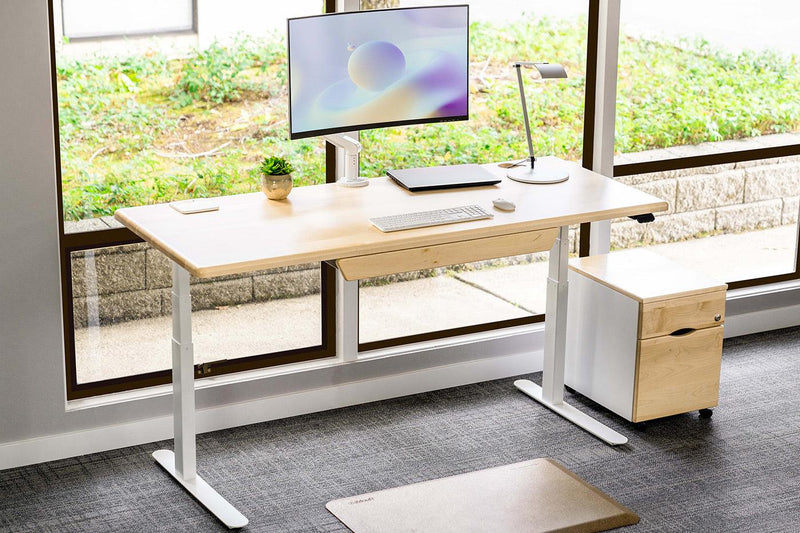
Sit-stand desks boosted productivity by 46%.
That finding from a Texas A&M Health Science Center study is striking, but productivity is only part of the story.
The standing desk health benefits that matter most touch your heart, your spine, your energy, and your long-term disease risk.
This article breaks down what the research actually says and how to use a standing desk in a way that delivers real results.
Sitting Is Quietly Destroying Your Health and Most People Have No Idea
The average person sits 9.5 hours a day. That is more time in a chair than in a bed. And most people never connect how they feel to how long they have been sitting.
The average person sits more than they sleep
When you sit for long stretches, the large muscles in your legs and core go inactive. Blood slows down. Your metabolism drops.
Long sitting hours leave you drained before the day is even over, and the chair is the reason, not your sleep schedule.
Why you feel drained before 3pm
That afternoon slump most people blame on a bad night's sleep or a heavy lunch? A lot of it comes down to staying in one position too long.
A 2024 study found that switching between sitting and standing improves both brain performance and physical health.
The simple act of changing your posture keeps blood moving and your brain engaged through the afternoon hours.
The long-term risk: heart disease, diabetes, and cancer
Sitting too much can quietly increase your risk of heart disease and cancer. These are not distant, unlikely risks.

Research has consistently found that prolonged sitting raises these risks even in people who exercise regularly. You cannot fully undo 9 hours of sitting with a 30-minute workout.
What Standing Actually Does to Your Body: The Science
Standing is not just the absence of sitting. It is a different physical state with real, measurable effects on your body. Here is what happens the moment you stand up.
Circulation: your heart rate increases roughly 10 BPM the moment you stand
When you go from sitting to standing, your heart rate jumps about 8 to 10 beats per minute. Your calf muscles activate and push blood back up toward your heart.
More blood reaches your brain. That is not a small change. Over a full workday, it adds up to significantly better circulation than staying seated does.
Posture and spinal alignment: why your neck and shoulders thank you
Sitting pulls your spine into a slumped curve. Over time, your head drifts forward, your shoulders round, and your neck takes on extra load.
Standing at the right desk height encourages your ears, shoulders, and hips to stack naturally.
That alignment reduces strain on your neck and upper back, which is where most desk workers feel it by midday.
Energy: how postural variety drives all-day stamina
Here is the part most standing desk guides miss. Standing does not boost your energy because standing is energizing.
It boosts your energy because changing positions keeps your body engaged. When you stay still in any one position too long, your system slows down. Variety is the actual mechanism.
The people with the most sustained energy through the day are not the ones who stood the longest. They are the ones who changed positions the most often.
Back Pain and Standing Desks: What the Research Actually Says
Back pain is one of the top reasons people search for a sit stand desk for back pain. The research is clear and worth understanding before you buy.
Why sitting creates forward head posture
When you sit for a long time, your core muscles fatigue and your posture collapses.
Your pelvis tilts, your lower back flattens, and your head moves forward to compensate. This is called forward head posture, and it is not a habit. It is a physical response to muscle fatigue. The longer you sit, the more pronounced it gets.
How standing redistributes spinal load
Research by orthopedic surgeon Dr. Alf Nachemson found that sitting puts higher pressure on the discs in your lower spine than standing does.
That pressure, held for hours at a time, compresses spinal discs and irritates the nerves around them. That is where a lot of chronic lower back pain comes from.
Sit-stand desks can help reduce low back pain by letting you offload that pressure throughout the day.
When you stand, those discs get a break. Your muscles take over the load instead, which is what they are designed to do.
Calorie Burn: Honest Numbers, Not Inflated Claims
Standing burns more calories than sitting. Small shift, real impact. But the number is modest, and you deserve the honest version.
Standing burns roughly 8 to 10 more calories per hour than sitting. On a Tuesday, that sounds like nothing.
A standing desk for weight loss works best when you think of it as a daily metabolic baseline tool, not a workout replacement.
The people who expect dramatic results in 30 days are usually disappointed. The people who treat it as a low-effort long-term habit see real cumulative change.
How to Actually Use a Standing Desk Correctly: the Sit-Stand Ratio
Owning a standing desk is not the same as using one correctly. Most people who abandon theirs within a year made one of two mistakes: they stood too long and felt worse, or they kept sitting the same way and wondered why nothing changed. The protocol matters.
The 20-8-2 rule: sit 20, stand 8, move 2
Dr. Alan Hedge of Cornell University developed the 20-8-2 framework based on how long it takes static posture to suppress circulation and metabolism.
In every 30-minute block: sit for 20 minutes, stand for 8, then move for 2. Walk around, stretch, or shift your weight. Then repeat.
The 2-minute movement window is not optional. It is the part of the cycle that resets your circulation and muscle engagement before the next round begins.
Most people skip it. That is the wrong place to cut corners.
The 1:1 to 1:3 ratio: finding what works for your body
The 20-8-2 rule is your starting point. Over time, most people land somewhere between a 1:1 and 1:3 sitting-to-standing ratio, meaning 1 minute of standing for every 1 to 3 minutes of sitting.
If you are new to standing desks, start closer to 1:1 and build from there over 4 to 6 weeks. Your body needs time to adapt, and rushing it leads to calf fatigue and soreness that makes people quit.
Match your position to your task
Not every task belongs in a standing position. Deep writing, complex analysis, and focused problem-solving tend to go better seated, where postural demands are lower.
Standing works well for calls, reviewing documents, responding to emails, and lighter cognitive tasks.
Matching your posture to your task is something most sit-stand desk guides never mention, and it is one of the biggest reasons people drift back to sitting full-time within the first month.
Common Standing Desk Mistakes That Cancel Out the Benefits
Most standing desk users make at least one of these. Some make all of them and conclude the desk did not work.
Standing too long
New users overcorrect. They buy the desk and stand for 3 hours straight, then wonder why their back hurts more than before.
Standing too long is just a different version of the static posture problem you were trying to solve. Follow the 20-8-2 cycle and build up gradually.
Wrong desk height
If the desk is too high, your shoulders rise to meet it and your traps tighten within minutes. Too low and you hunch forward, rebuilding the posture problem you wanted to fix.
The right height puts your elbows at 90 degrees, your wrists flat, and the monitor at eye level. Check this every time you raise the desk, not just on setup day.
Skipping the anti-fatigue mat
An anti-fatigue mat is not a comfort upgrade. It is a functional piece of an ergonomic workstation. Standing on a hard floor activates sustained muscle tension in your feet and calves that accelerates fatigue.
The mat creates small, constant movement through its surface, keeping those muscles gently active without any effort from you.
Users who skip it report earlier fatigue and lower long-term adherence. It is a small purchase that protects a larger one.
Do not stand right after lunch
Your body diverts blood to your digestive system for 45 to 60 minutes after a meal. Standing during that window slows digestion and causes discomfort.
The post-lunch period is actually one of the better times to sit intentionally. Let digestion finish first, then return to the cycle.
Treating standing as the goal instead of movement
This is the most important mistake on the list. Standing is not the health intervention. Movement is.
A person who stands motionless for 5 hours gains less than someone who cycles between sitting and standing every 30 minutes.
The goal is to break up static posture, not to accumulate standing time. Reframe the desk around that idea and your adherence will be completely different.
The Best Standing Desks and Accessories to Buy (Ranked by Use Case)
Best overall: Unsit — for serious sit-stand commitment
The iMovR Unsit Treadmill Desk is built for users who want to move throughout the day, not just stand. It pairs a height-adjustable desk with a treadmill base so you can walk slowly (1 to 2 mph) while you work.
Unsit Office Treadmill
$2,495
Built for real work—not workouts. This ultra-quiet treadmill lets you walk while you work with zero distraction, more space, and long-term durability most under-desk treadmills simply can’t match.
Speed
0.3–2.0 mph
Capacity
350–400 lbs
Noise
42.9 dB (library quiet)
Motor
2.75 HP high-torque
Users consistently report daily step counts of 5,000 to 10,000 without adding any dedicated exercise time. This is the most effective tool available if reducing sedentary time is your primary goal.
Best premium pick: P1 ELITE
The iMovR P1 ELITE is the flagship sit-stand desk for full-time remote workers who want a refined, long-term setup.
P1 Elite L-Shaped Standing Desk
$2,495
Built for serious setups. This triple-motor L-shaped desk gives you more space, more power, and seamless sit-stand transitions—without sacrificing stability, even under heavy loads.
Capacity
450 lbs
Speed
3.15"/sec lift
Motors
Triple ultra-quiet
Height Range
23"–49"
The motor is fast and precise, the weight capacity supports full multi-monitor configurations, and the build quality means you buy it once.
If you spend 8 or more hours a day at a desk, this is worth investing in properly the first time.
Must-have accessory: anti-fatigue mat (and why it is not optional)
The iMovR Tempo Anti-Fatigue Mat is sized for natural weight shifting and promotes the micromovement that makes extended standing sustainable.
Pair it with every standing desk purchase. Without it, you are giving up one of the easiest ways to extend how long you can comfortably stand.
Next level: treadmill desks for maximum movement
If your goal is maximum daily movement with zero extra time commitment, a treadmill desk is the answer. iMovR's full treadmill desk lineup covers multiple price points and use cases, from entry-level setups to the full Unsit bundle.
The Desk Does Not Do the Work. You Do.
A standing desk is not a health device you plug in and benefit from passively. It is a tool that changes what is possible when you use it correctly.
The standing desk provides numerous health benefits including better circulation, less back pain, more calories burned, better energy through the afternoon, are all real.
Explore iMovR's full range of sit-stand desks, treadmill desks, and ergonomic accessories and find the setup that fits where you are starting from.