

The online education market is projected to reach $221.71 billion in 2026.
Millions of teachers are delivering that instruction from a spare bedroom, kitchen table, or basement corner.
But most teacher desk setup home guides treat the space as an afterthought.
In this article, you will know exactly how to build a home teaching workspace that reduces physical fatigue, improves your on-screen presence, and holds up through six hours of back-to-back sessions.
Teaching from Home Demands More from a Workspace Than Most Realize
Why the Stakes Are Higher Than a Standard Home Office
A standard remote worker types, reads, and sits. A teacher performs. You manage classroom energy, watch for confusion on student faces, explain concepts with your hands, and hold vocal projection steady for hours.
That combination of physical and cognitive output makes the home teaching workspace a completely different category from a regular home office setup.
A 2021 study found that teachers experience higher rates of musculoskeletal discomfort than most office-based professionals, with the neck, shoulders, and lower back as the most common problem areas. That data was collected in traditional classrooms.
Remote teaching adds screen glare, poor seating, and an absent ergonomic support structure on top of that existing risk.
So the teacher desk setup home needs to solve for performance output, not just comfort. That shift in framing changes every decision that follows.
The Hidden Fatigue Problem in At-Home Teaching
Most teachers who struggle with at-home instruction point to focus or technology as the culprit. But in our experience working with educators setting up remote workstations, physical fatigue is the more accurate cause.
When your chair is too low, your monitor is at the wrong angle, or your microphone forces you to lean forward, your body compensates with sustained muscle tension that builds across a school day and leaves you exhausted before dinner.
The fix is environmental, not motivational. And it starts with the desk.
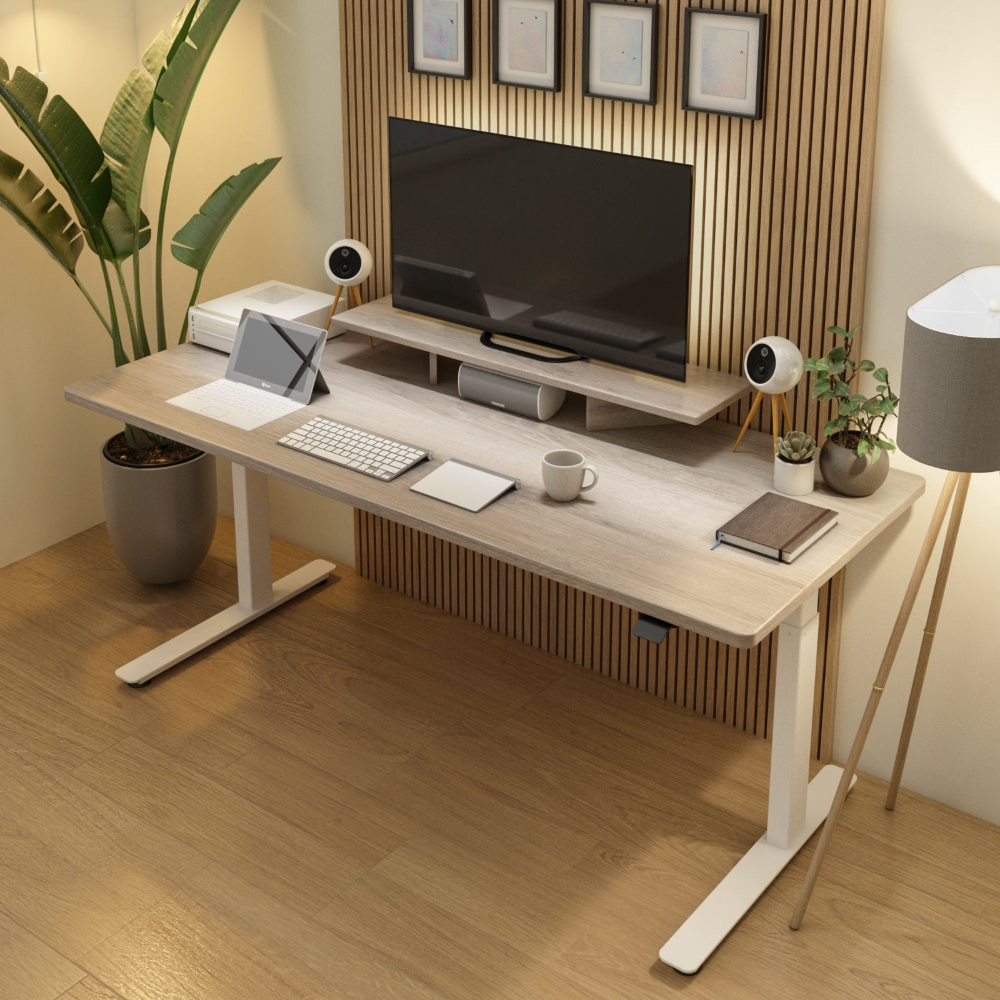
Camera, Microphone, and Lighting Basics for an Online Teaching Setup
Camera Positioning: Eye Level Is Non-Negotiable
Your camera position is the single fastest fix in any online teaching setup. A webcam below eye level forces you to look down into it, which compresses your neck, shortens your on-screen presence, and makes every student feel like they are looking up at a ceiling.
Position the camera at eye level or 1 to 2 inches above it.
A laptop on a flat standing desk almost always places the camera too low. Use a monitor arm or a dedicated webcam stand to bring it up to the correct height.
Microphone Setup: Distance and Direction Matter
Built-in laptop microphones pick up room echo, keyboard noise, and HVAC hum. A dedicated condenser microphone placed 6 to 8 inches from your mouth at a 45-degree angle captures clear voice audio without the room artifacts.
The Blue Yeti USB microphone has become a standard for online educators for exactly this reason.
Position the microphone off to the side rather than directly in front of the camera. This keeps your face fully visible and prevents the mic from blocking your expressions, which are a critical teaching tool.
Lighting: Front Light, No Backlight
A window behind you is the most common lighting mistake in a tutor desk setup. It silhouettes your face, washes out your features, and makes engagement nearly impossible for students. Move the desk so the window is in front of or beside you, not behind.
A simple ring light or a softbox positioned at face level in front of your desk solves most lighting problems for under $60.
Aim for 5500K daylight-balanced light, which renders naturally on camera and reduces the yellow cast that warmer bulbs produce.
Quick checklist: Camera, Audio, and Lighting
-
Camera at eye level or 1 to 2 inches above
-
Dedicated microphone 6 to 8 inches from mouth at 45 degrees
-
Primary light source in front of you, never behind
-
5500K daylight bulb for natural on-camera color
-
Laptop stand or monitor arm to raise screen height
-
Acoustic panel or bookshelf behind you to reduce room echo
Desk Height and Posture During Long Instruction Hours
The Right Desk Height for a Teacher Desk Setup at Home
Desk height for a teacher desk setup home follows the same ergonomic principle as any office environment: elbows at 90 degrees, wrists flat, monitor at eye level.
For most adults, that puts the desk surface between 28 and 30 inches for seated work. But teachers do not stay seated.
When you stand to gesture, move toward the camera, or demonstrate something on a whiteboard, your body position changes entirely.
A fixed-height desk forces you to sit back down and readjust just to maintain ergonomic alignment. That repeated interruption breaks instructional flow and adds physical strain over a full teaching day.
Why Sit-Stand Desks Benefit Educators More Than Most
This is the teacher workspace idea most guides miss entirely: teachers who switch to height-adjustable sit-stand desks report improvement in vocal clarity during lessons.
Standing naturally opens the chest cavity and supports better diaphragmatic breathing, which means clearer speech projection without vocal strain.
The iMovR Lander standing desk is a strong option for a teaching setup. It adjusts from seated to standing height in seconds, handles the weight of a dual-monitor configuration, and keeps your workstation stable at every height.
For teachers who lecture for three or more hours per session, the ability to shift positions in their standing desk for teachers throughout the day reduces the cumulative fatigue that makes the second half of the day noticeably harder than the first.
Monitor Height and Viewing Distance
The top of your monitor should sit at or just below eye level when you are seated. Viewing distance should land between 20 and 30 inches from your face.
Too close causes eye strain. Too far forces you to lean in, which rounds your upper back within minutes.
If you teach from a laptop, an external monitor on an adjustable arm is one of the highest-impact upgrades available for any educator home office.
Managing Materials, Papers, and Digital Tools
Physical Organization for the Home Teaching Workspace
A cluttered desk is a cognitive tax. When your educator home office has lesson plans, worksheets, books, and sticky notes stacked in every direction, your brain spends energy tracking their location instead of focusing on the student in front of you.
Physical clutter in your peripheral vision also makes you look disorganized on camera, which affects how students and parents perceive your sessions.
The practical fix is vertical storage. Wall-mounted shelves, stackable drawers, and monitor-riser organizers keep materials accessible without spreading across the desk surface.
Use a dedicated tray for active lesson materials and a separate drawer for reference files that do not need to be on the desk during sessions.
Cable Management in a Teaching Workspace
A tangle of cables behind the desk does not stay behind the desk for long. It creeps into your camera frame, catches on your chair wheels, and creates a visual noise that students notice even if they cannot identify it.
Route all cables through a single cable tray mounted under the desk surface and use velcro ties rather than zip ties so you can reconfigure when equipment changes.
Desk organization essentials for at-home teachers:
-
Vertical shelving for lesson materials within arm's reach
-
Dedicated active-lesson tray on desk surface only
-
Separate browser profile for teaching sessions
-
Second monitor or tablet as reference screen
-
Underdesk cable tray with velcro management
-
Session notes doc open and ready before class begins
Why Teachers Benefit from Height-Adjustable Desks More Than Most
The Voice-Posture Connection Most Guides Skip
When you sit slumped in a standard chair for four hours, your diaphragm compresses, your breathing becomes shallow, and vocal fatigue arrives earlier than it should.
Teachers notice this as throat strain, reduced projection, and a flat delivery that is harder to sustain and harder for students to stay engaged with.
Standing for portions of the instructional day corrects that compression. The chest opens, the diaphragm engages, and voice projection improves without additional effort.
That benefit alone makes a height-adjustable desk a functional piece of teaching from home equipment, not just an ergonomic preference.
Sit-Stand Usage Patterns for Teaching Days
The ideal pattern for a teaching day is not standing constantly. It is recommended to cycle through sit, stand, and move in a 20-8-2 pattern: 20 minutes seated, 8 standing, 2 moving.
For teachers, the standing portion maps naturally onto active instruction and Q&A, while sitting works well for reading student work, grading, or admin tasks.
After working with educators setting up home teaching stations, we found that teachers using a height-adjustable teacher workspace setup report feeling less drained at the end of a teaching day compared to those on fixed-height desks.
The transition itself, not the standing, is what delivers the benefit.
Anti-Fatigue Mats: Not Optional for Standing Instruction
Standing on a hard floor in socks or thin shoes builds tension in the feet and calves within 20 to 30 minutes. An anti-fatigue mat creates small, constant micromovement that keeps those muscles gently engaged without effort. The iMovR Tempo Anti-Fatigue Mat is sized correctly for a single-person standing workstation and holds up through daily use.
Skipping the mat effectively shortens how long you can sustain standing instruction before fatigue forces you back into the chair.
Whiteboard and Visual Aid Setups for Virtual Classrooms
Physical Whiteboards vs Digital Alternatives
Physical whiteboards work well for traditional teaching, while digital tools like Miro, Jamboard, and Notability offer interactive real-time annotation and screen-based instruction.
Screen Sharing and Visual Aid Placement
Overlaying your camera feed onto slides using tools like mmhmm or OBS Studio reduces split attention and improves student engagement during lessons.
Annotation Tools and Interactive Content
Graphics tablets such as the Wacom Intuos Small provide more precise, visible, and efficient real-time annotation for subjects requiring handwriting or drawing.
A Better Teaching Space Creates a Better Learning Experience
The physical environment where you teach is not a background detail. It is the infrastructure your instruction runs on.
When your teacher desk setup home is calibrated for how you actually teach, every lesson benefits from that foundation.
Small improvements in the home teaching workspace compound across hundreds of teaching hours. A monitor at the right height reduces neck strain across a full semester.
A height-adjustable desk reduces vocal fatigue across a full school year. An organized desk surface reduces the micro-interruptions that break instructional flow every single session.
None of these changes feel dramatic on day one. All of them matter by month three.
If you are ready to build a teacher desk setup home that holds up through the full demands of online instruction, explore the height-adjustable desk options and ergonomic accessories at iMovR.


